Yaniko Software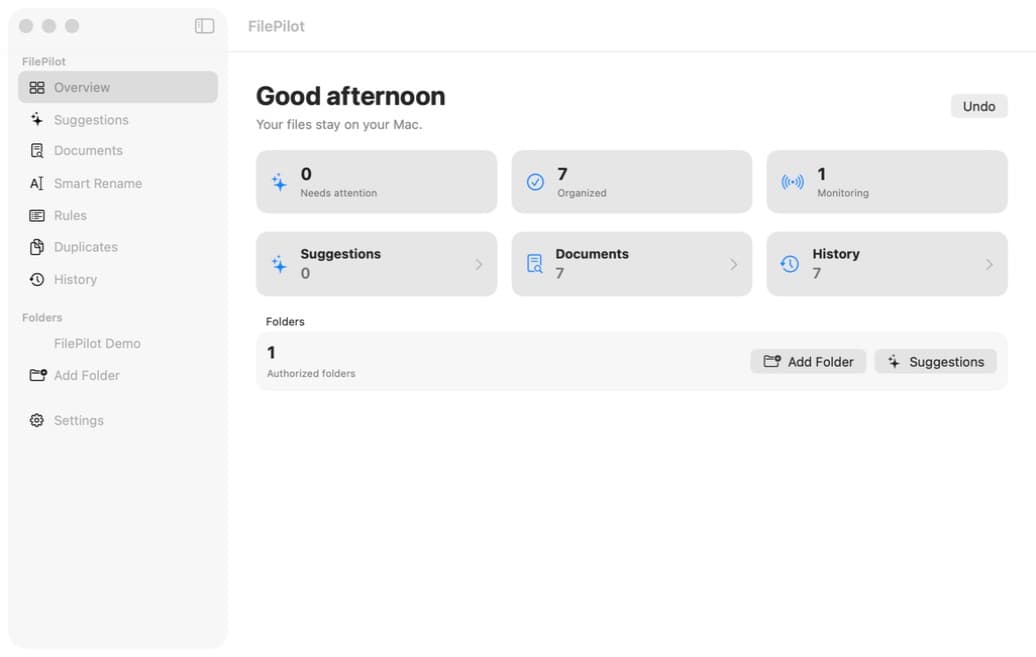
Overview
Everything that matters, at a glance.
Track your documents, items requiring attention and folder activity from one clear space.
 FilePilot AI · macOS
Turn your folders into a smart, searchable library directly on your Mac. Try every feature free for 14 days.
Ask a question.
The app in pictures
Each screen prioritizes clarity, control and immediate access to your documents.
Track your documents, items requiring attention and folder activity from one clear space.
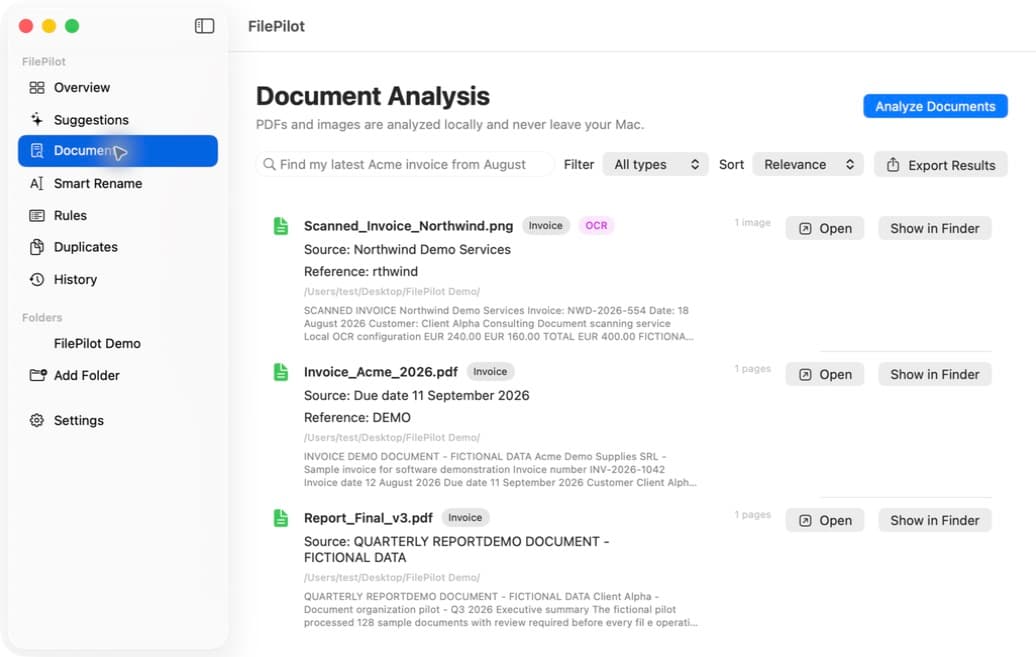
FilePilot AI analyzes your PDFs and images locally to make their content truly searchable.
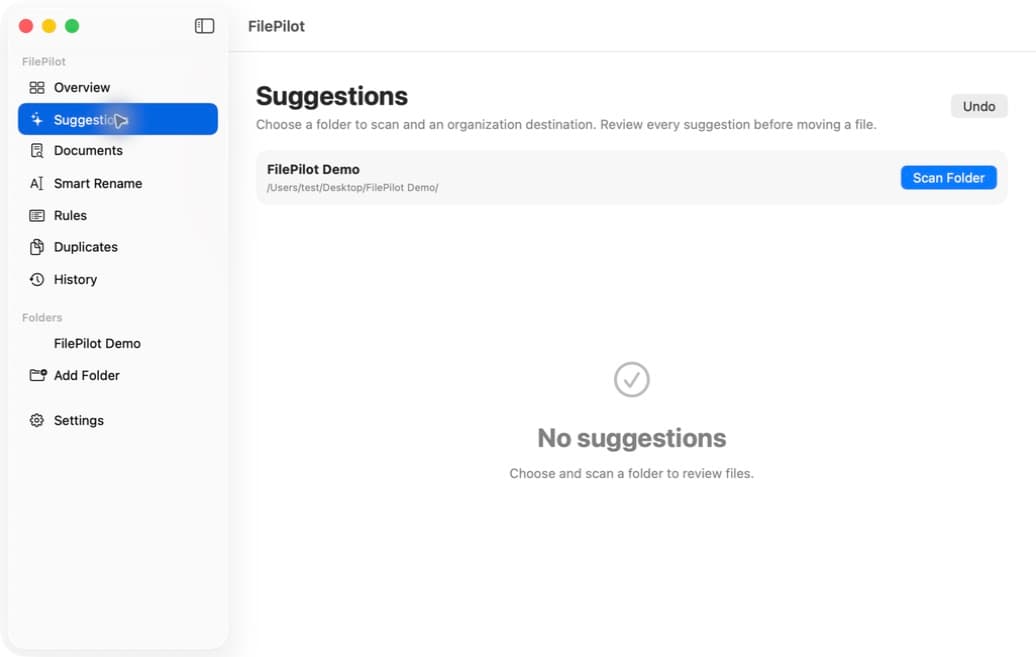
Review the suggestions before anything happens. Nothing is moved without your approval, except by a rule you allowed to act on its own.
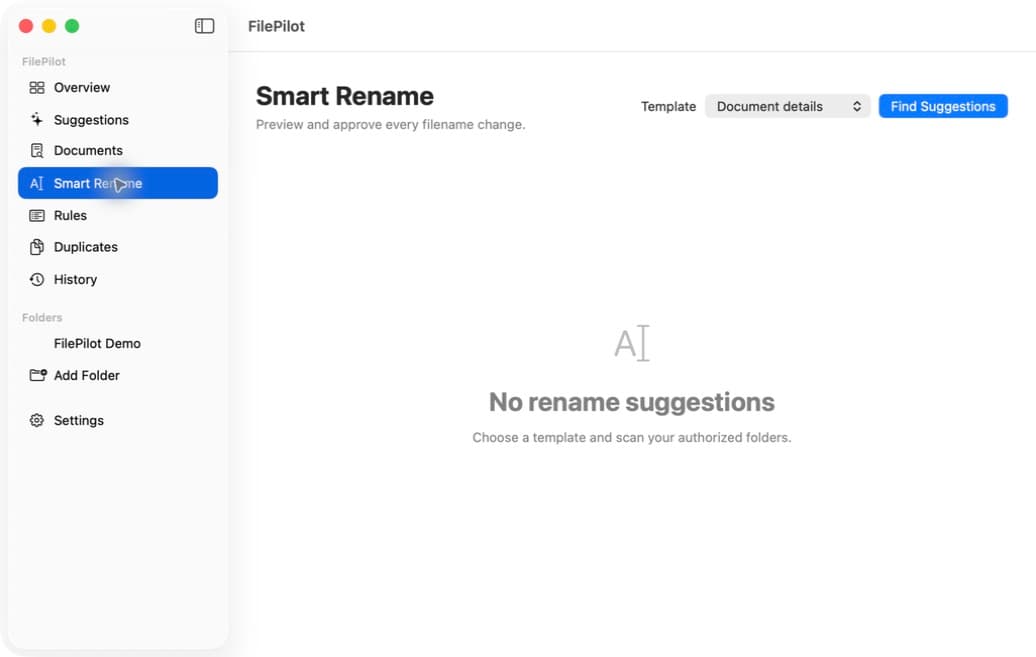
FilePilot AI analyzes the content and suggests a clear, consistent, easy-to-find name before making any change.
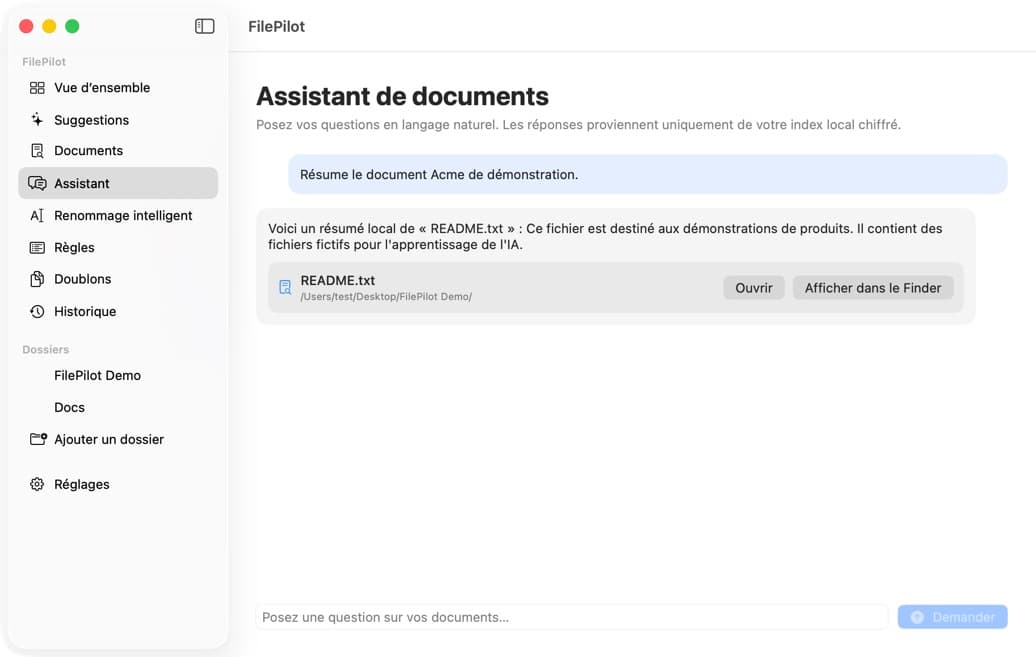
The Assistant finds the relevant information, provides a clear answer and always takes you back to the source files.
What makes it different
FilePilot AI helps you find information without reorganizing your entire digital life.
Your documents stay on your Mac during analysis.
Ask questions about your documents and get answers linked to their sources.
Get clearer, more consistent filenames based on their content.
Every answer links back to the relevant files and passages.
A familiar, fast experience that feels at home on your Mac.
An interface focused on your searches without unnecessary features.
What’s new · Version 1.10.0
FilePilot 1.10.0 files your documents where you can see them, lets you choose where they go, and keeps the Assistant conversation from one launch to the next.
“Move” now files the document in a subfolder of the scanned folder, such as Documents, Images or Invoices, so it stays visible where you expect it.
Choose the destination folder of a suggestion yourself, or create one: the file is moved there at once, and a single undo puts it back.
The conversation stays when you switch tabs and comes back at the next launch, encrypted on your Mac. “Clear History” removes it.
“Show all video files” or “affiche tous les fichiers vidéo”: the Assistant understands requests in French, English, German, Spanish and Dutch, and lists each file only once.
Simple by design
Choose the files you want to make searchable.
Use your own words, with no special syntax.
Open the document containing the information you need.
No. FilePilot AI analyzes your documents locally on your Mac. Your file contents, analyses and search results are not sent to Yaniko Software.
FilePilot AI analyzes PDFs and images in the folders you select. You choose which locations the app can access.
Ask a question about your documents in natural language. The Assistant finds relevant information and links its answer to the source files so you can verify it.
Not without your permission. Organization suggestions are presented before any action, and a file is only moved or renamed once you approve it. The one exception: a rule for which you turn on “Apply matching files without asking again” files its matching files on its own. Every action can be undone from FilePilot.
FilePilot AI requires macOS 14 or later. See the download page for availability and version information.
One license covers two Macs belonging to the same person and includes all 1.x updates. A full 14-day trial is planned so you can test the app before buying, with no subscription.